Describe it. Arcane AI designs it.
App screens, websites, dashboards, slides, posts and logos from a conversation. Ask for changes until it's right.
Free to start, with $1 of credit. No card needed, no plans or seats.
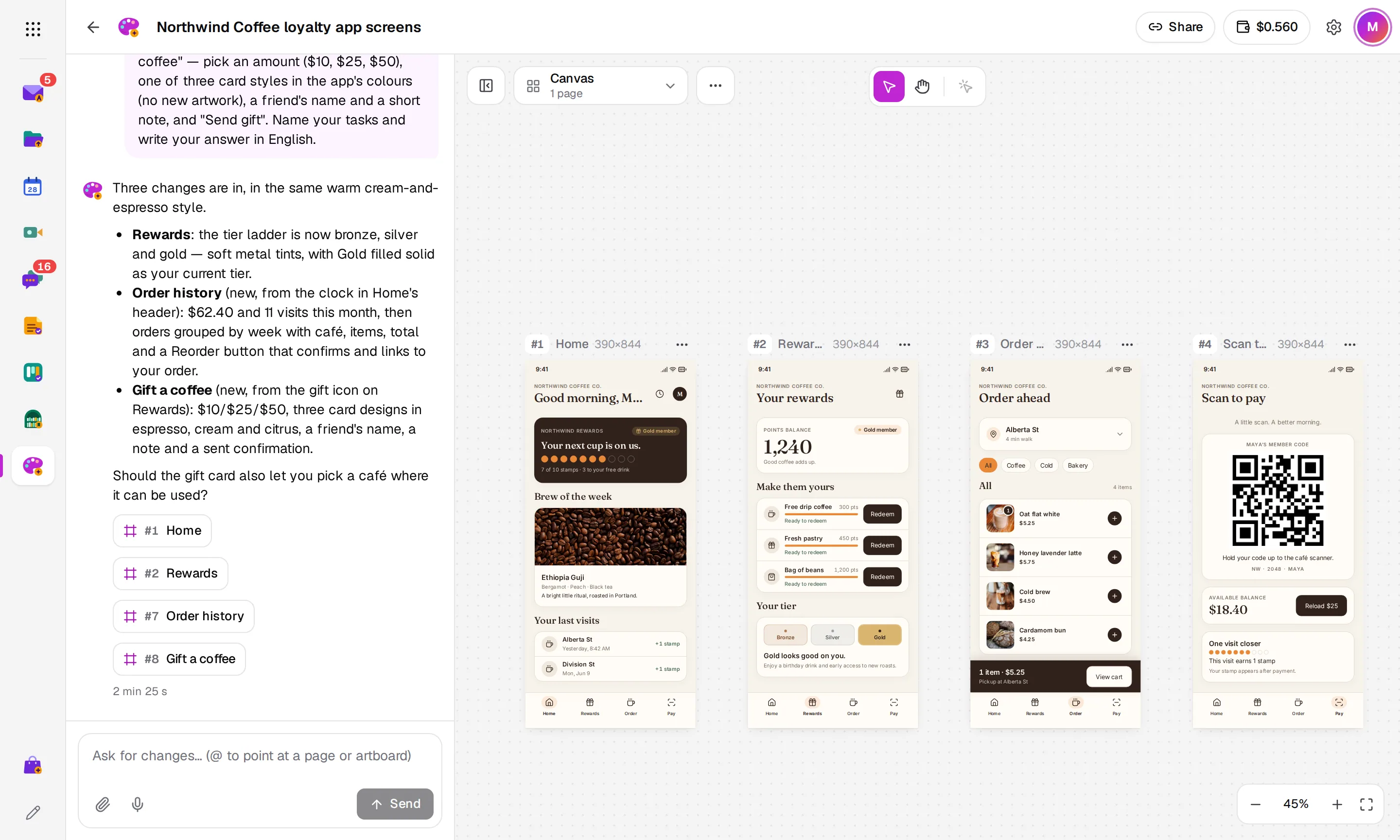
- Two kinds
- live responsive prototypes and canvases of artboards
- Tested
- every screen clicked through in a browser before it's saved
- +30%
- on what the models cost. No subscription
See Design in action
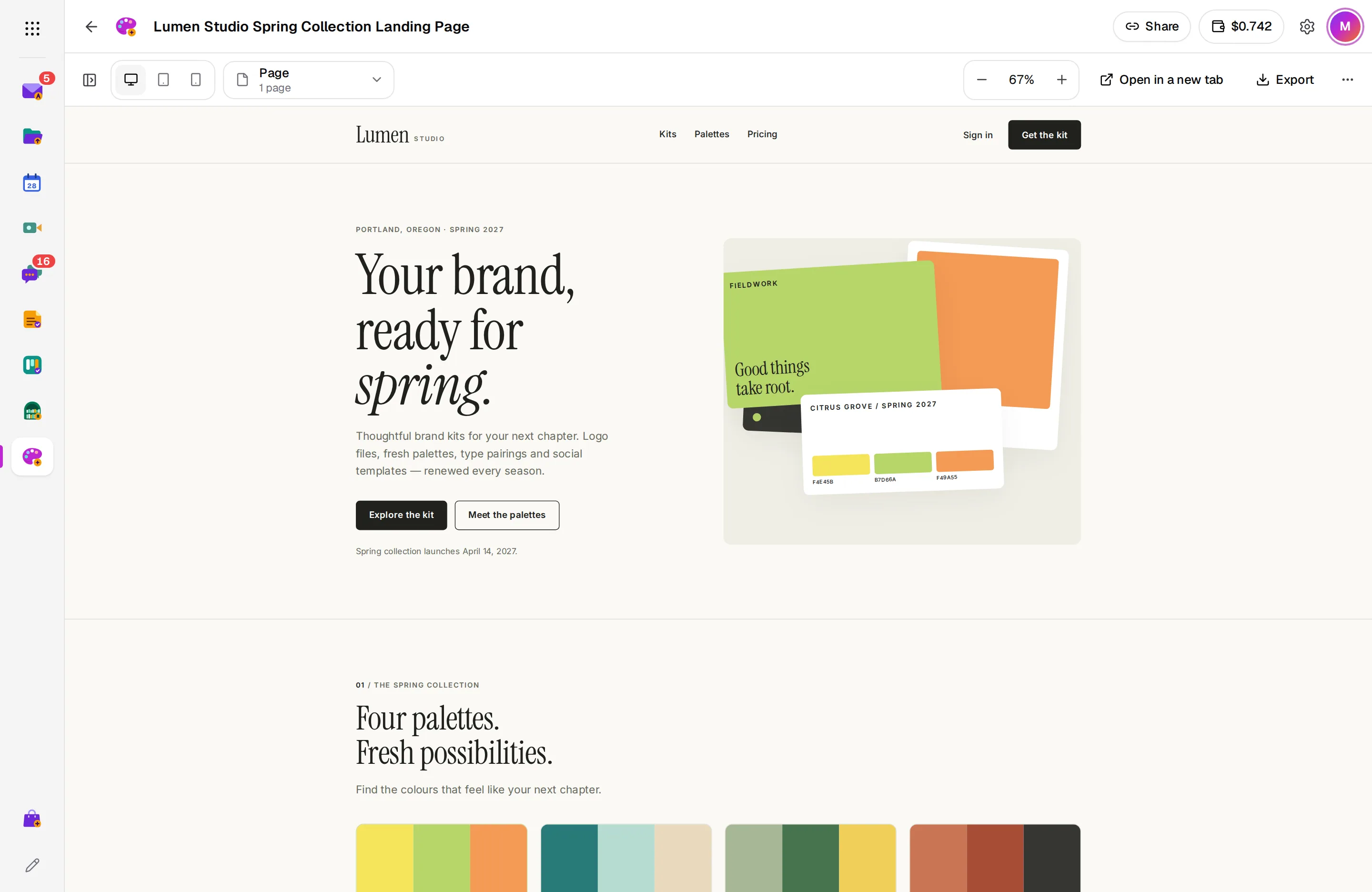
A live page at every screen size
A prototype is one responsive page you can click through, with a switch for desktop, tablet and phone. Keep only the sizes you need and Arcane AI designs for those.
- Desktop, tablet and phone
- Fully usable, not a picture
- Open it in a new tab
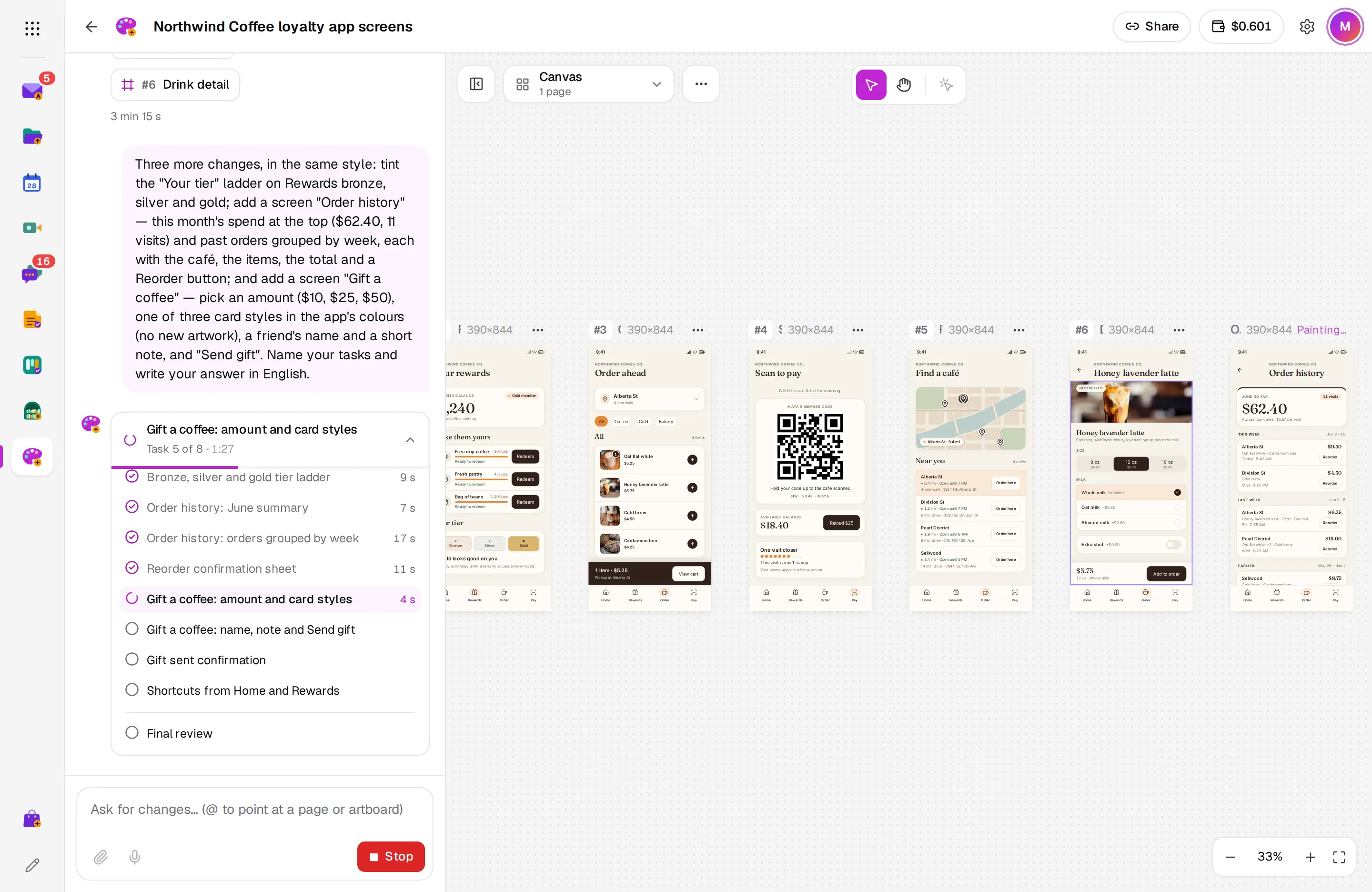
Watch it work
Arcane AI plans each request as tasks and shows the design taking shape as it goes. Before saving, it clicks through every screen to make sure nothing is broken.
- Tasks and progress as it works
- A live preview while it runs
- Stop it at any time
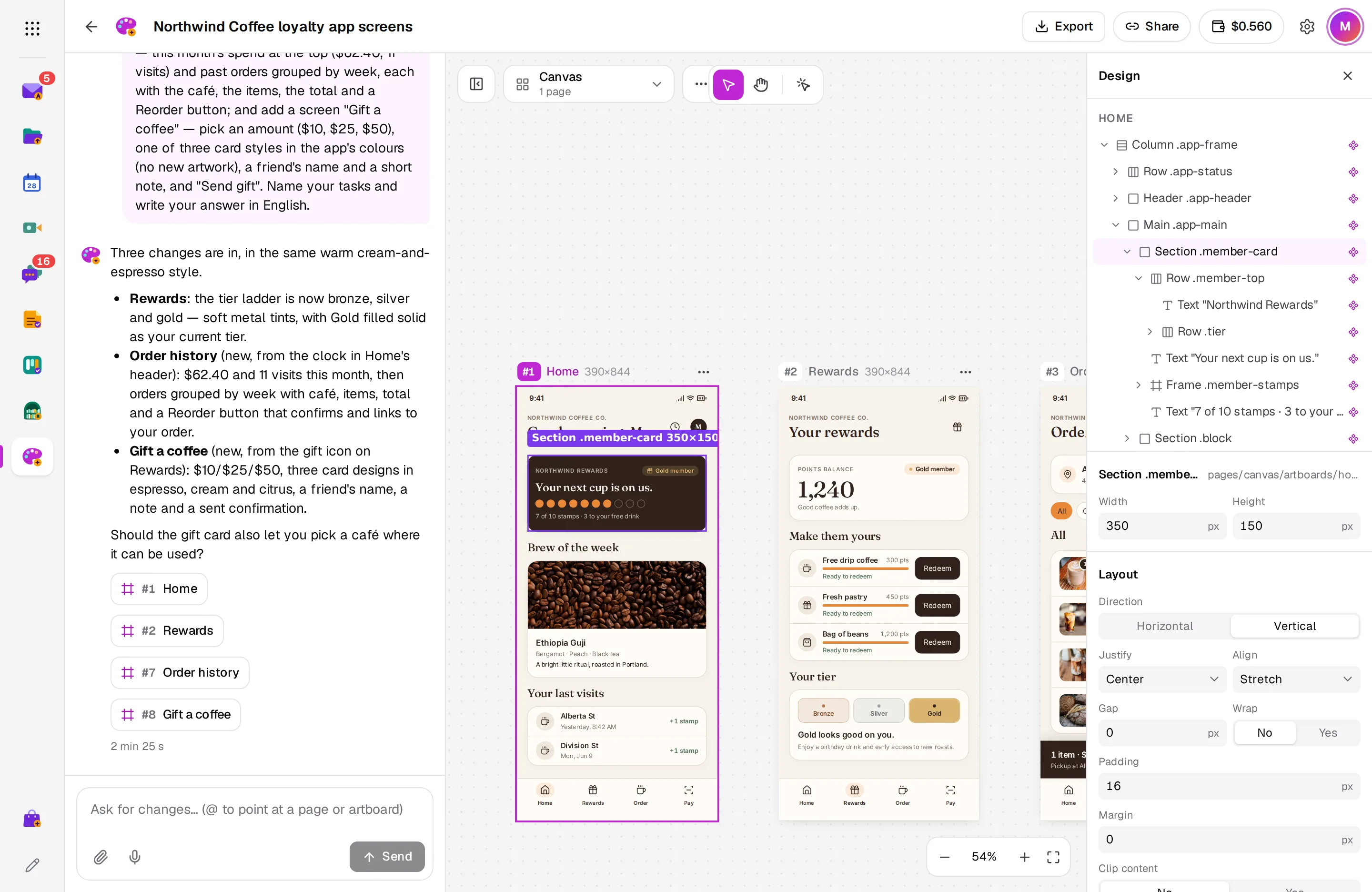
Fine-tune it by hand
Click any element on a canvas to see its layers and properties, and change them yourself: size, auto layout, spacing, fill, radius, border, shadow and text.
- Layers named like Figma's
- Every Google Fonts family
- Edit text in place
From design to your codebase
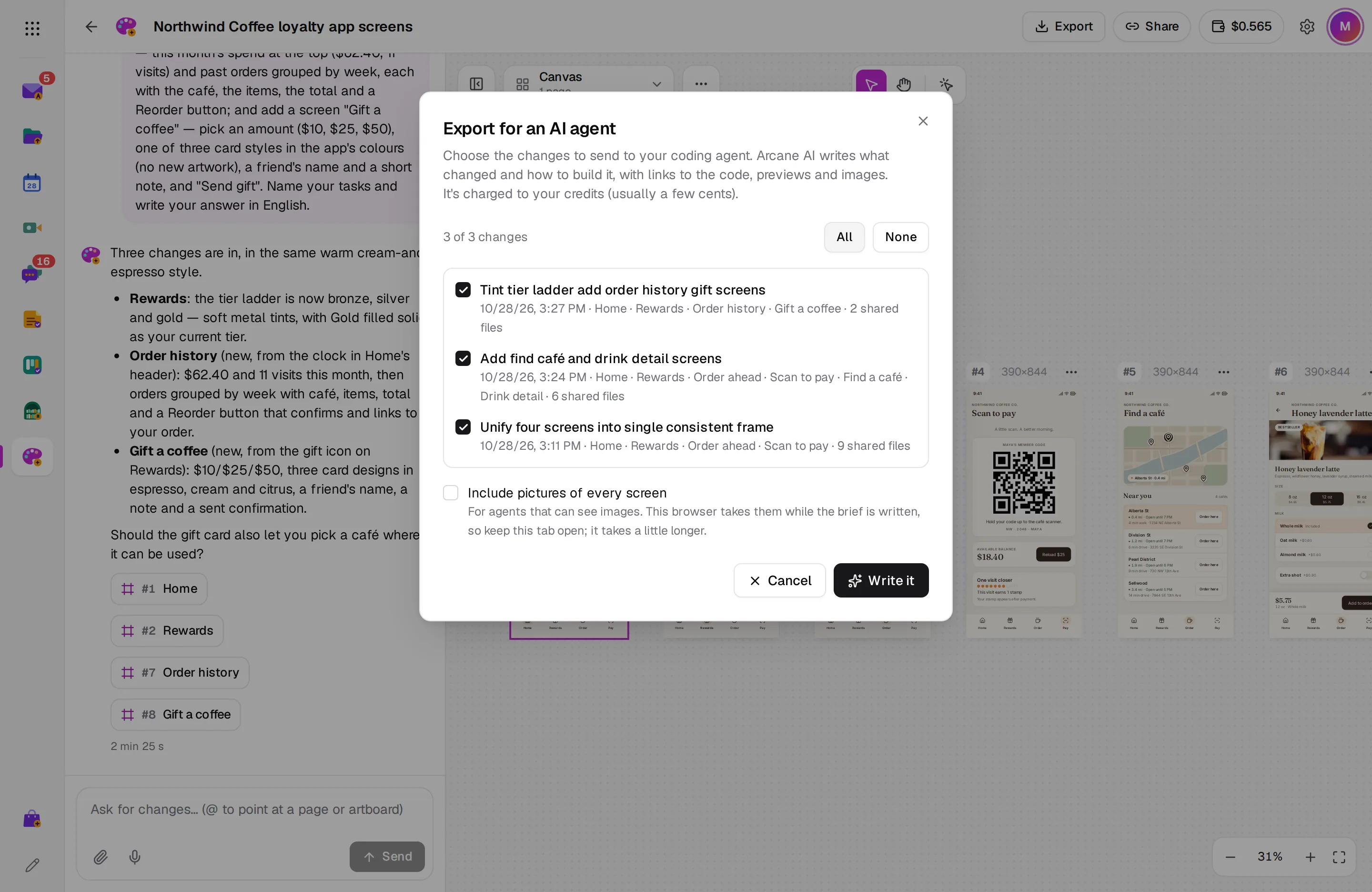
Pick the changes to hand over and Arcane AI writes a brief for your coding agent, such as Claude Code, Cursor or Codex, with links to previews and images.
- Choose which changes to send
- Pictures of every screen, if you want them
- Links valid for 7 days
And there’s more
Attach references
Add images, PDFs, SVGs and HTML pages to a request, or paste links for Arcane AI to read.
Images and artwork
Arcane AI makes the pictures a design needs and draws logos and illustrations. Icons come from public icon libraries.
Import files
Turn images, SVGs, PDFs and HTML pages into artboards on a canvas, without AI.
Version history
Every change saves a version. Restoring an old one adds it as the newest, so nothing is lost.
Export
Download artboards and pages as PNG or HTML, or save them as PDF.
Share by link
Let others view and export a design. Only you change it and see the conversation.
Works with the rest of Arcane Suite
One account for 13 apps. Design connects to the apps your team already uses, with no setup.
See all appsNo plans. Pay for what you use.
Arcane Design is prepaid with Arcane credits, the same balance Arcane Studio uses. Personal accounts start with $1 of credit and no card. Add credits from $5, by hand or with an automatic top-up when the balance runs low.
- No ads, ever
- No per-user fees: unlimited users for businesses
- Prices in your currency, with local taxes on your invoice
Questions about Design
What can I design?
App screens, websites and landing pages, dashboards, slides, social posts, logos and brand sheets. Start a prototype for one live, responsive page, or a canvas for artboards side by side. A design can have both.
What does a request cost?
What the AI models cost for it plus 30%, and the time the agent's computer runs, at cost. Small changes cost less than a new design. The Activity list in Arcane credits shows what each request took.
What happens if a request fails or I stop it?
Arcane tests every screen before saving. If a problem can't be fixed, or you press Stop, nothing from that request is saved and nothing is charged.
Can I get the code?
Download HTML gives each artboard or page as a file that runs on its own. To build it into your product, Export for an AI agent writes a brief for your coding agent.
Which AI models does it use?
Arcane chooses and tests the models for each part of the work: writing the design, planning large requests, drawing artwork and making images. There's no model to pick.
How do I get it?
Install Arcane Design from the Arcane Store. In an organization, an admin installs it for everyone or for the people they choose, and the organization's admins add the credits everyone shares.
Who can see my designs?
Only you, until you share one by link. For a personal account, anyone signed in to Arcane with the link can view it; in an organization, anyone there with the link. Viewers never see the conversation.
Start using Arcane Design today
Create an account in under a minute, with $1 of credit and no card. You get Design and the other 12 apps, for yourself or your whole team.