Describe the video. Arcane AI makes it.
A product launch, an explainer or an ad from a conversation: script, storyboard, motion graphics, voiceover, music and the edit, rendered next to the chat.
Free to start, with $1 of credit. No card needed, no plans or seats.
- 4
- sizes from one video: 16:9, 9:16, 1:1 and 4:5
- 1080p
- MP4 with captions, ready to post
- +30%
- on what the models cost, no subscription
See Studio in action
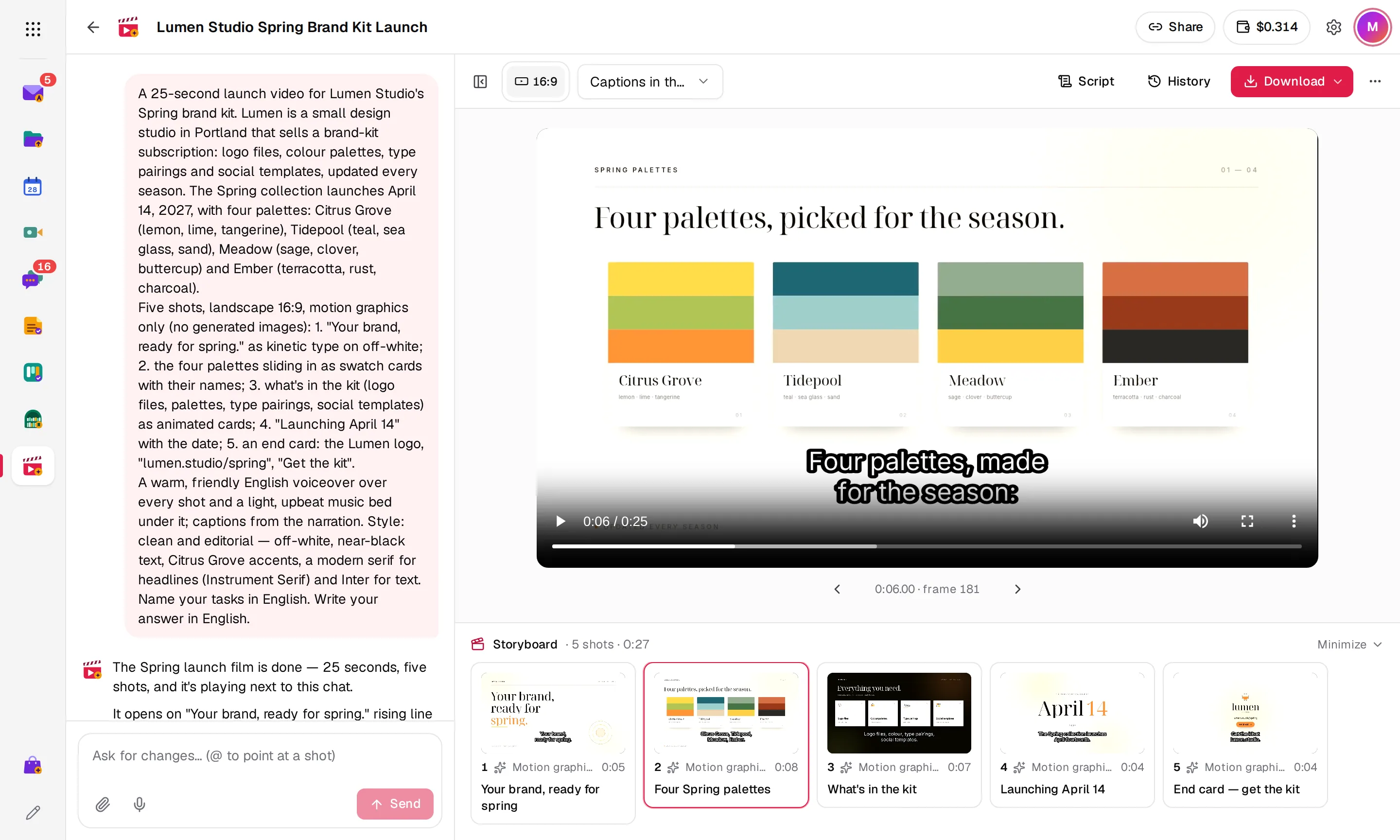
Point at a shot to change it
Arcane AI plans the video as a strip of shots. Type @ to pick one and say what should change.
- Every shot with its length
- @ to point at a shot
- A new draft after each request
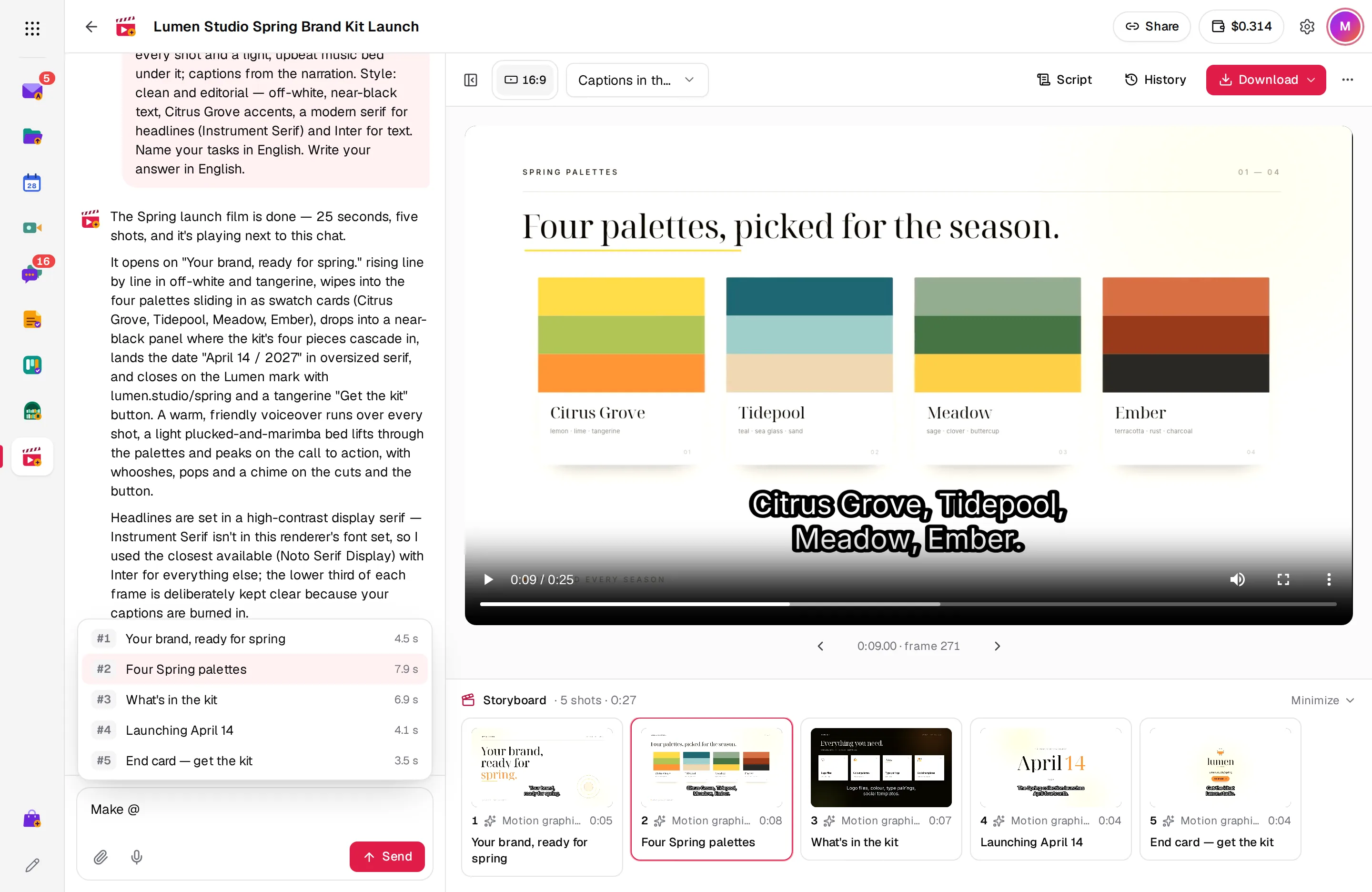
One video for every place it plays
Turn on the sizes you need and Arcane AI recomposes each scene for its frame, instead of cropping it.
- Landscape, vertical, square and portrait
- Same story, voice and music
- Switch sizes above the player
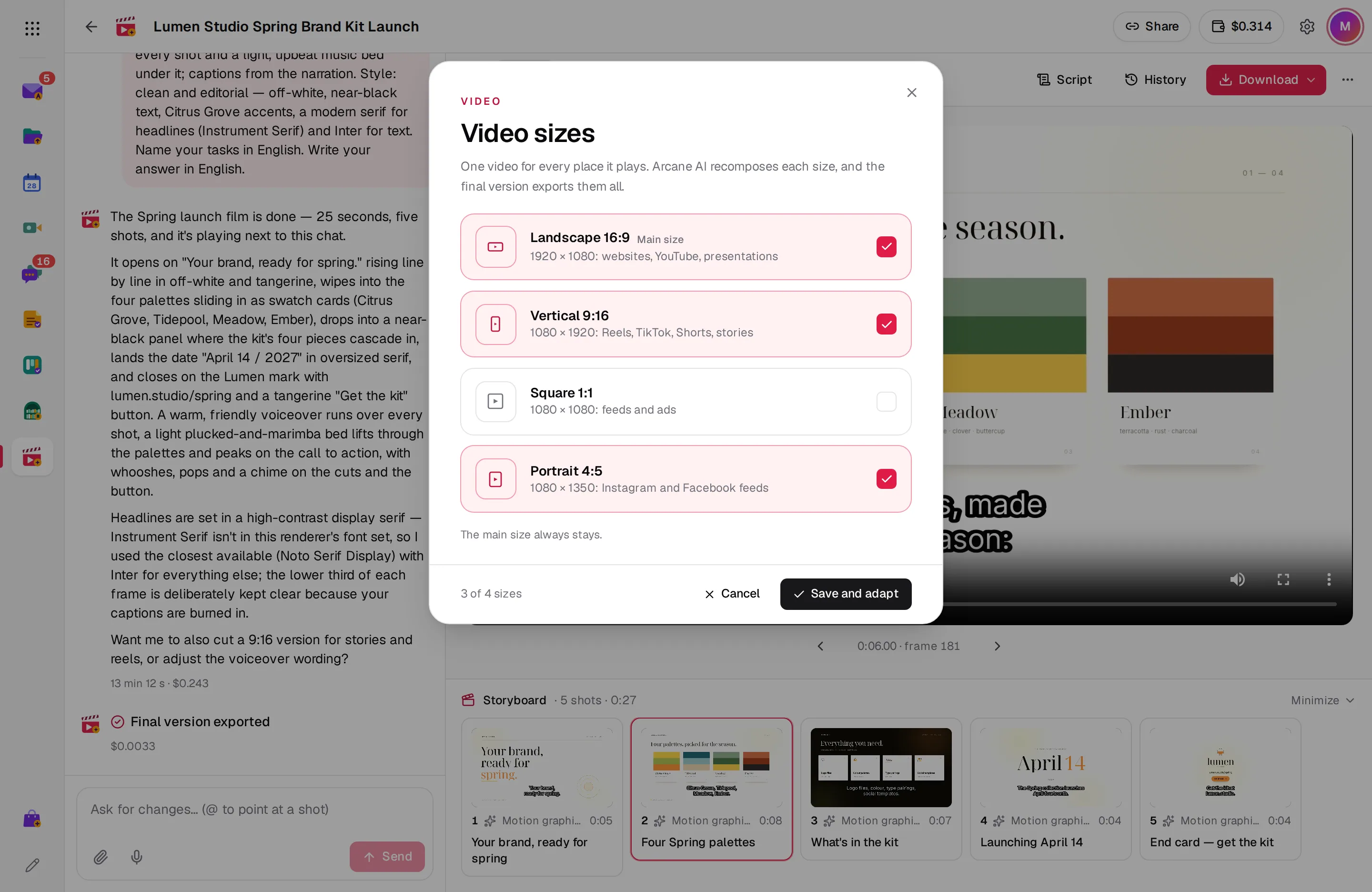
Read the narration, shot by shot
The script sits beside the player and follows the video as it plays. Copy it, or click a line to jump there.
- Narration per shot
- Copy in one click
- Captions in the video or separate
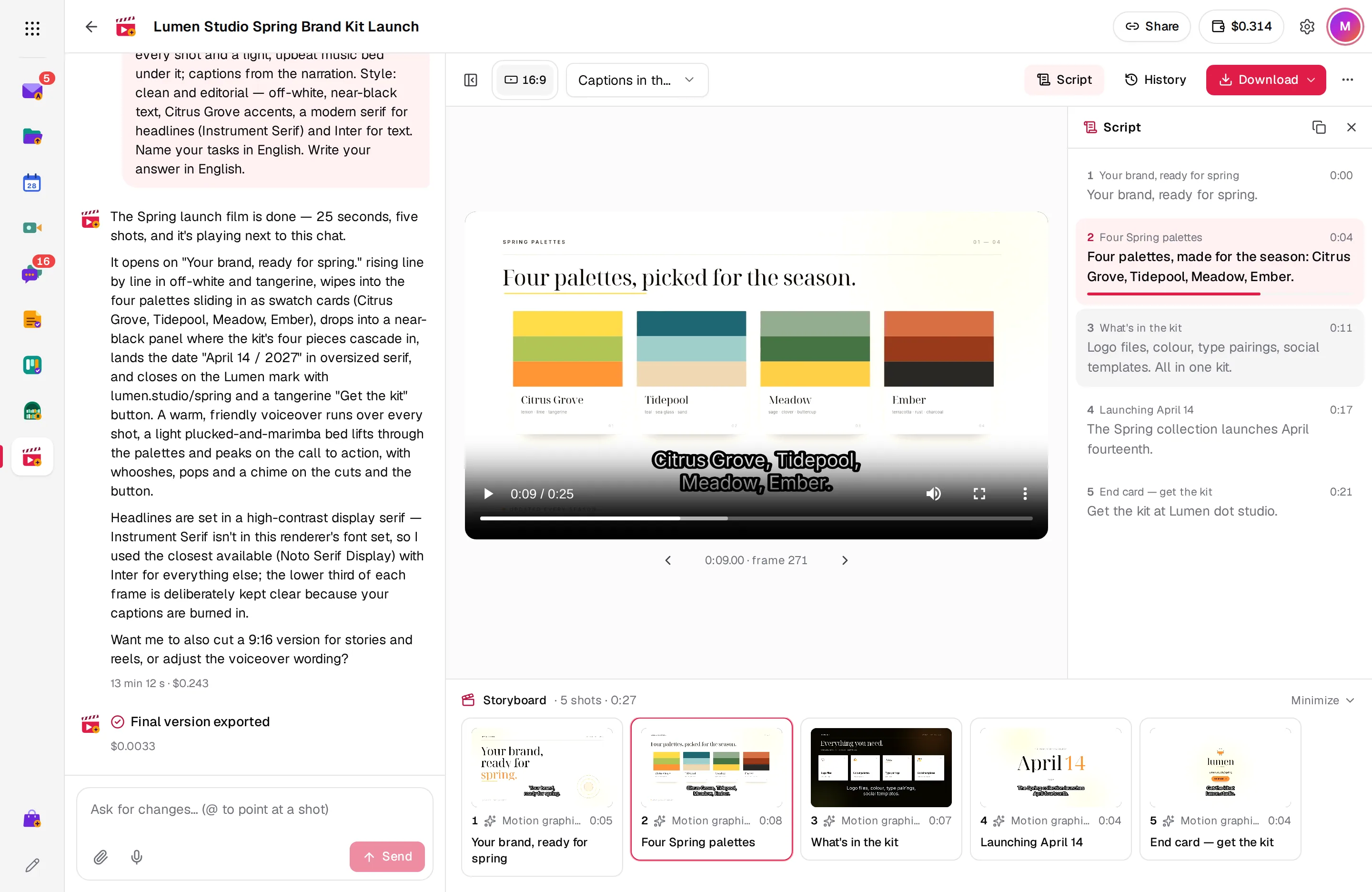
Drafts in the chat, the final with a button
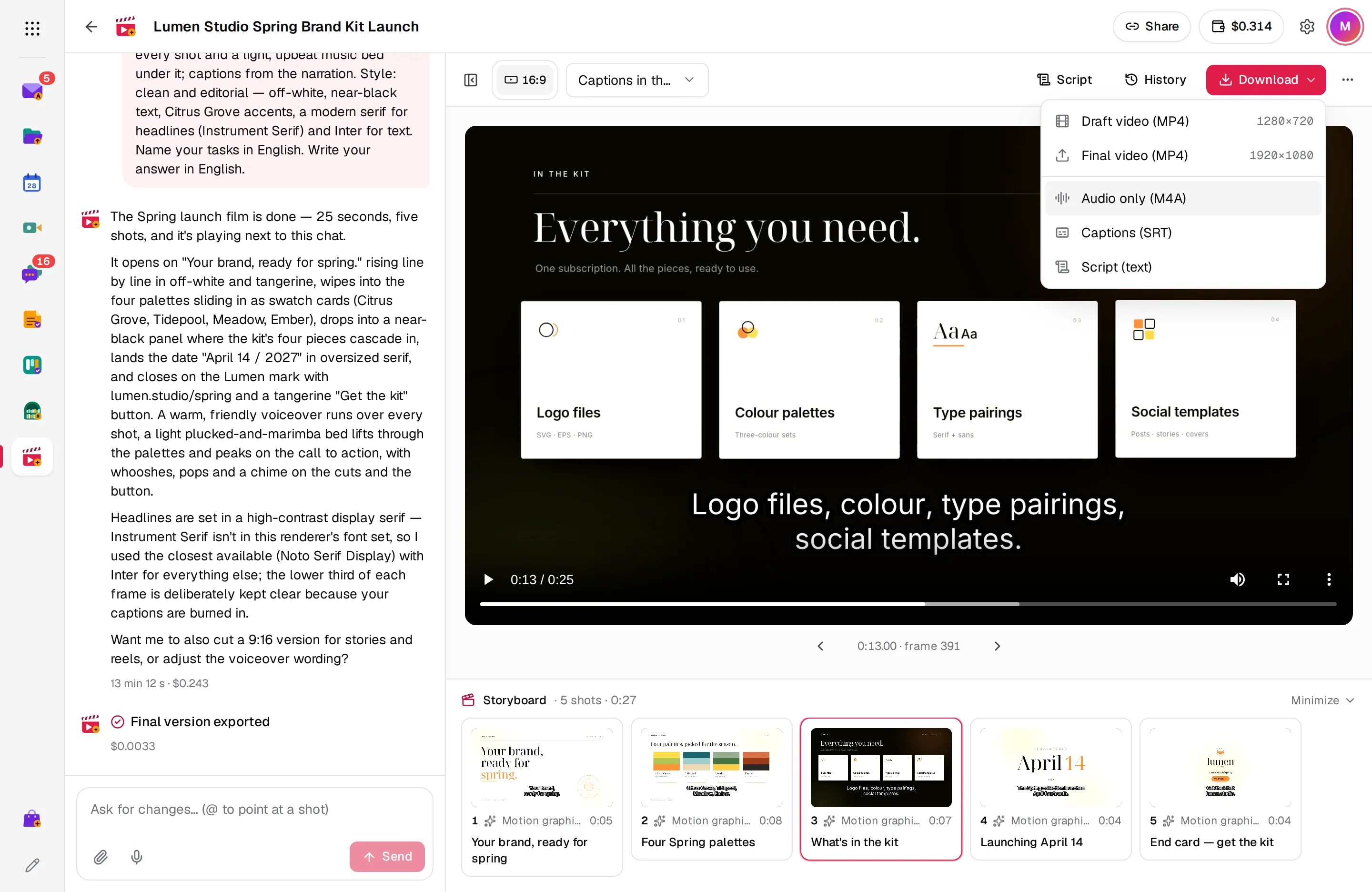
Each request renders a draft. When you like it, export the final version at full size in every size you made.
- Draft and final MP4
- Audio alone as M4A
- Captions as SRT and the script as text
And there’s more
Motion graphics
Titles, kinetic type, logo reveals, animated product screens and end cards.
Voice, music and sound
A voiceover, a music bed and sound effects, mixed with the music under the voice.
Your material
Attach a logo, product shots, PDFs, SVGs or HTML, and send links to your site or brand guidelines.
Captions
Written from the narration, burned into the picture or kept as a separate track.
Every render kept
Go back to any earlier draft or final of each size from History.
Share by link
People with the link watch every size and download it. The conversation stays yours.
Works with the rest of Arcane Suite
One account for 13 apps. Studio connects to the apps your team already uses, with no setup.
See all appsNo plans. Pay for what you use.
Arcane Studio is an official app in the Arcane Store, paid with Arcane credits: the same balance as Arcane Design. Personal accounts start with $1 of credit and no card. Add more from $5, or top up automatically when the balance runs low.
- No ads, ever
- No per-user fees: unlimited users for businesses
- Prices in your currency, with local taxes on your invoice
Questions about Studio
How much does a video cost?
Each request takes what its models cost plus 30%, and the rendering server's time at cost. The conversation shows what every request took, and exporting the final version uses no model, only server time.
Does Arcane Studio generate video footage?
Not yet. Videos are made of motion graphics and still images moved by the edit, with voice and music. AI video clips cost far more, so when they come, each one is made only after you approve its cost.
Which languages can the video be in?
The narration, the on-screen text and the captions are in the language you ask for, by default the language you write in.
How do I get it?
Install Arcane Studio from the Arcane Store for yourself, or ask your organization's admin to install it. Then open studio.arcanesuite.com and describe your first video.
Who pays in an organization?
The organization has one balance of Arcane credits, shared by everyone in it. Its admins add credits and choose the automatic top-up.
Who can watch my video?
Only you, until you share it by link. Then people in your organization, or anyone signed in to Arcane for a personal account, can watch and download every size.
Which AI models does it use?
DeepSeek writes and edits the video. Images, voice and music are made through OpenRouter, with Gemini and ElevenLabs voices and Lyria music. Your videos are kept in Arcane.
Start using Arcane Studio today
Create an account in under a minute, with $1 of credit and no card. You get Studio and the other 12 apps, for yourself or your whole team.