Write together, in real time.
Documents your whole team can edit at once, with comments, suggestions and version history built in.
Free to start, with $1 of credit. No card needed, no plans or seats.
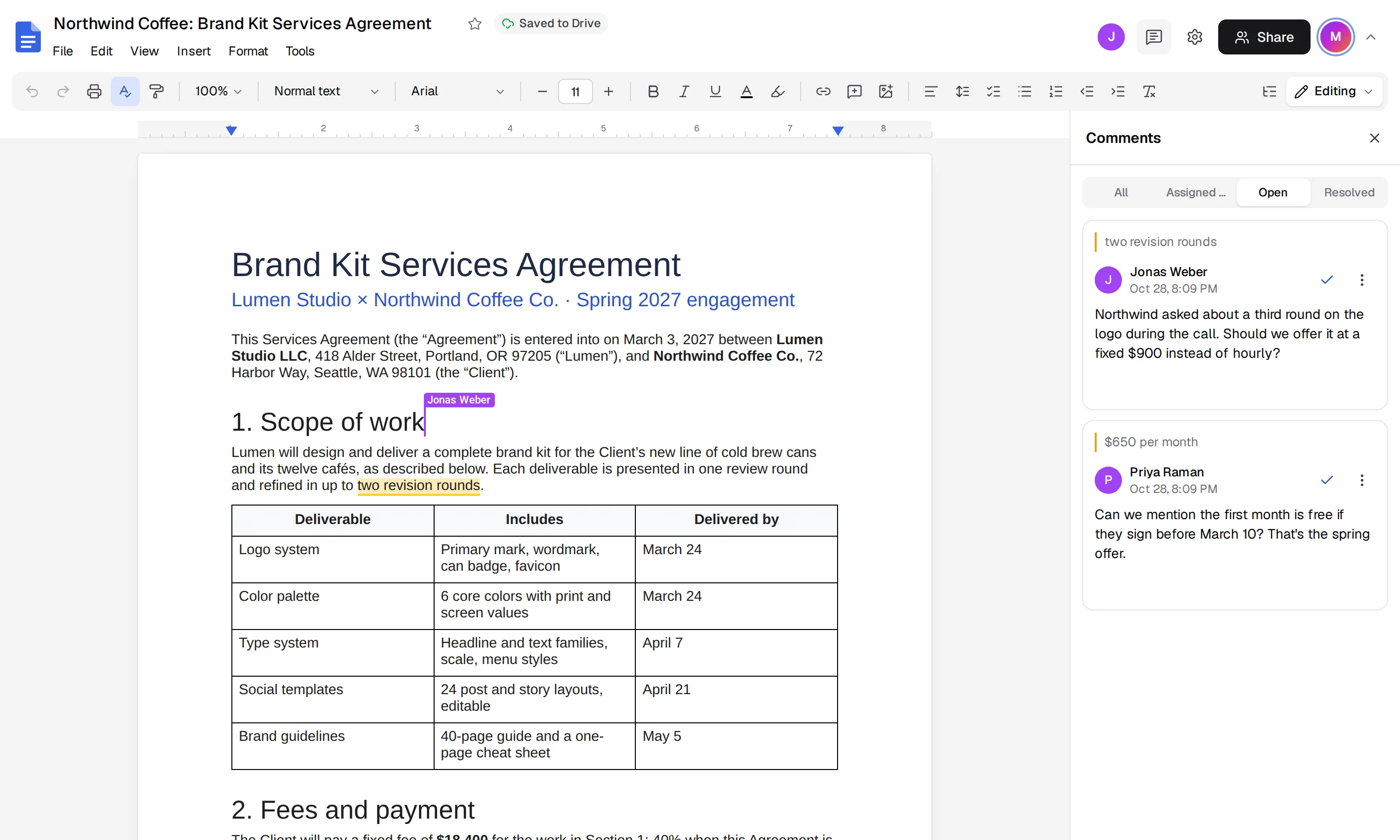
- Unlimited
- people editing the same document
- .docx
- Word files open and export
- Every edit
- saved automatically, with full history
See Docs in action
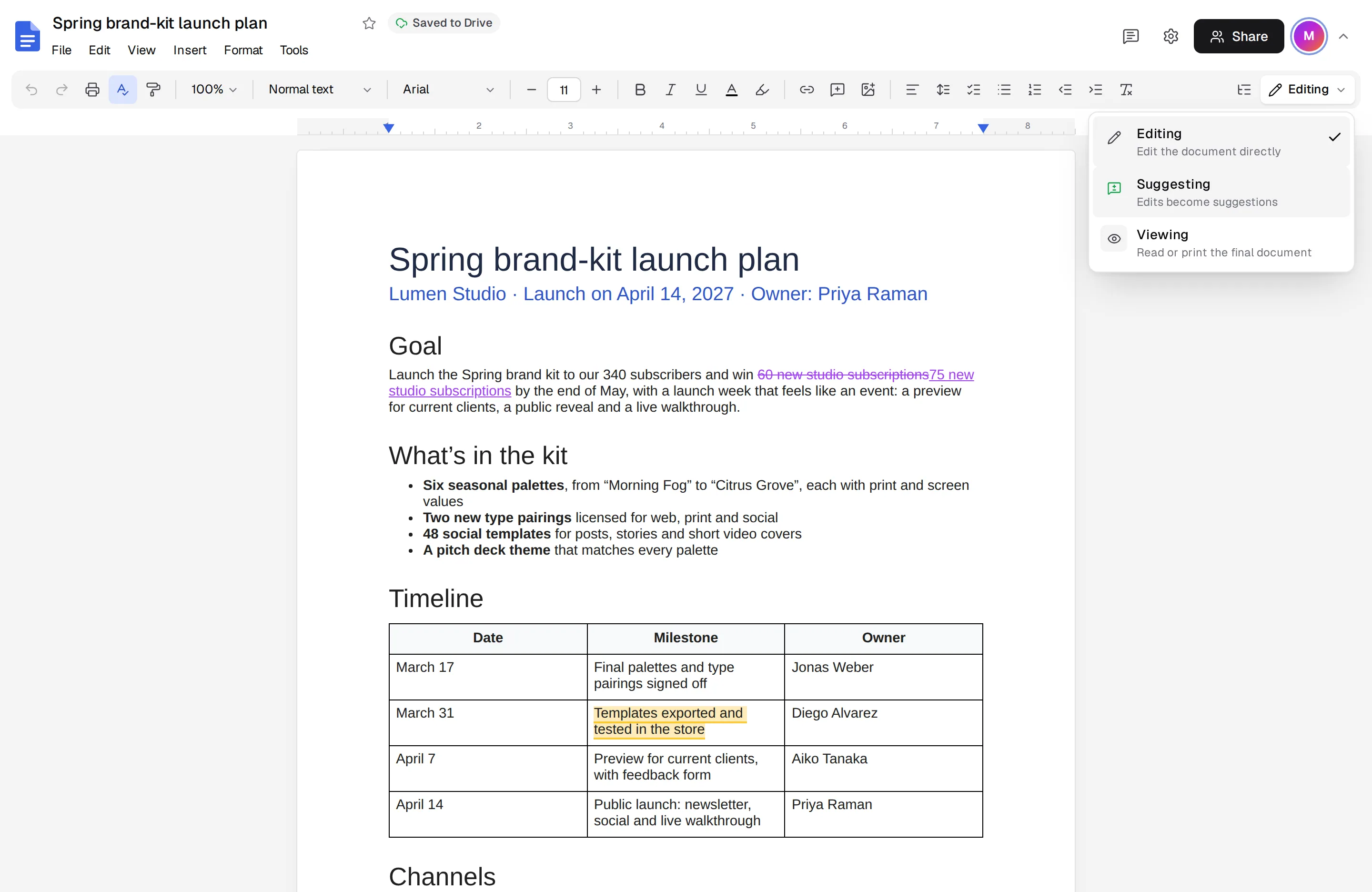
Edit, suggest or just view
Switch to suggesting and every change becomes a suggestion the owner can accept or reject.
- Editing mode
- Suggesting mode
- Viewing mode
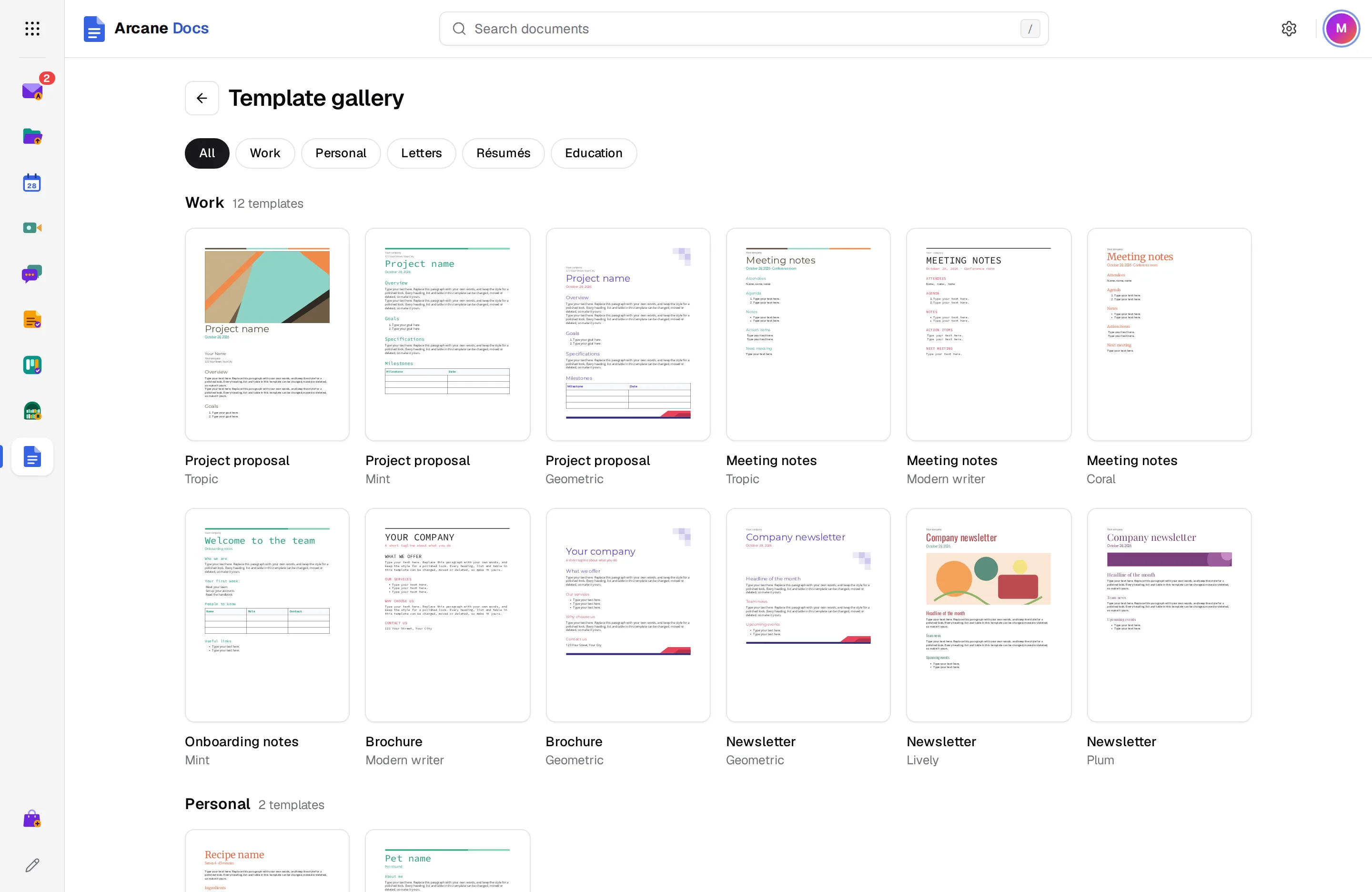
Templates for everyday documents
Proposals, meeting notes, letters and reports, ready to fill in.
- Ready-made layouts
- Several styles for each
- One click to start
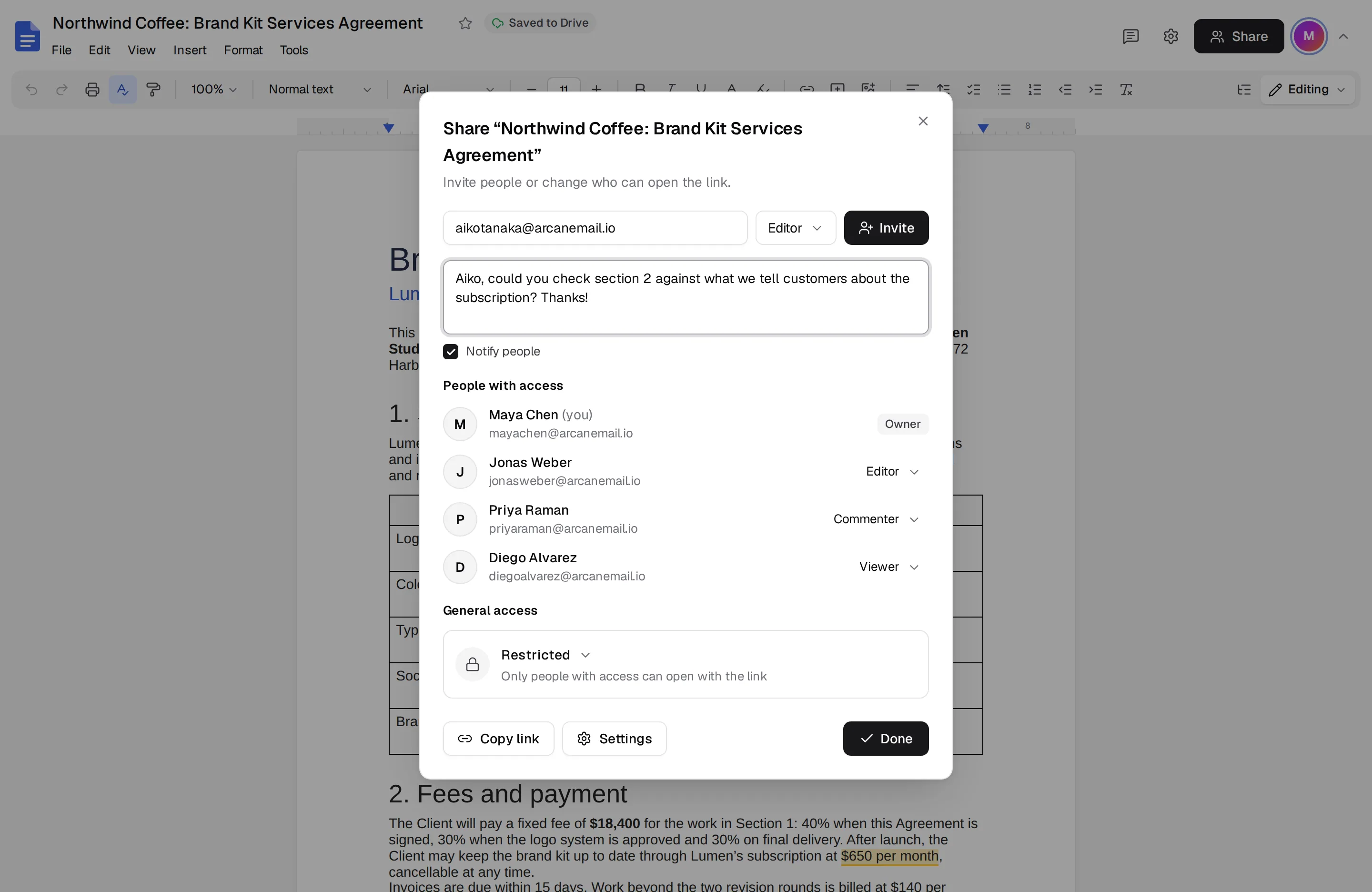
Give everyone the right access
Add people as viewers, commenters or editors, or share a link anyone can open.
- Viewer, commenter, editor
- Link sharing
- Notify people by email
And there’s more
Edit together
See each other's cursors, and changes appear for everyone as you type.
Comments and suggestions
Suggest edits without changing the text, then accept or reject them one by one.
Writing help
Drafts, rewrites, summaries and translations that you choose to apply, never automatically.
Templates
Start from proposals, meeting notes, letters, résumés and reports.
Version history
Name versions, look back at any of them and restore an older one.
Export anywhere
Download as Word, PDF, Markdown or plain text.
Works with the rest of Arcane Suite
One account for 13 apps. Docs connects to the apps your team already uses, with no setup.
See all appsNo plans. Pay for what you use.
Docs is included in every Arcane Suite account. Personal accounts start with $1 of credit and no card. After that you pay at least $1 a month, and all of it counts toward your usage across every app.
- No ads, ever
- No per-user fees: unlimited users for businesses
- Prices in your currency, with local taxes on your invoice
Questions about Docs
Can I open Word files?
Yes. Docs opens .docx files directly and can export back to .docx.
Do I need to save?
No. Every change is saved to Drive as you type, and earlier versions stay in the version history.
Can people outside my organization edit?
Yes. Share the document with their email address as editors, unless your organization's admin limits sharing outside it.
Does it work offline?
Yes. Choose File, then Make available offline, and keep writing without a connection. Changes sync when you're back online.
Start using Arcane Docs today
Create an account in under a minute, with $1 of credit and no card. You get Docs and the other 12 apps, for yourself or your whole team.